How Much Is a Dive Computer? 5 Best Picks Compared (2026)
Wondering how much a dive computer costs? Compare five picks by use case, features and fit so you know what to expect before you buy.
 By Miles Sinclair
Updated November 22, 2026
 By Miles Sinclair
Updated November 2026
If you are asking how much is a dive computer, the honest answer is that it depends on what you plan to do underwater. A basic wrist unit for recreational reef dives sits at a very different level than a multi-gas console built for technical work. This guide compares five well-known models by fit rather than by sticker shock, using four criteria: intended dive type, gas capability, display and ease of reading, and how it logs and transfers dive data.
Our top picks at a glance
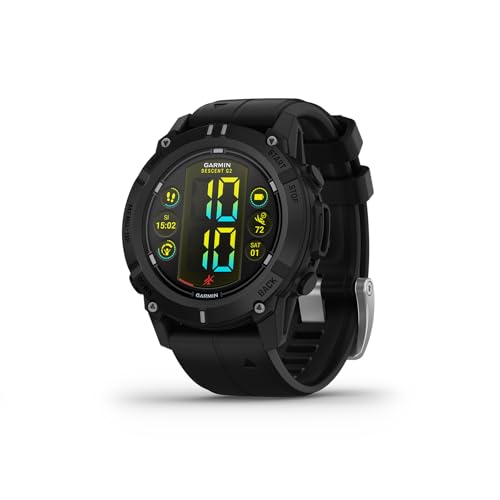
- 1TOP CHOICEBest overallGarmin Descent G2, Watch-Style Dive Computer, 46mm, BlackView on Amazon
- 2
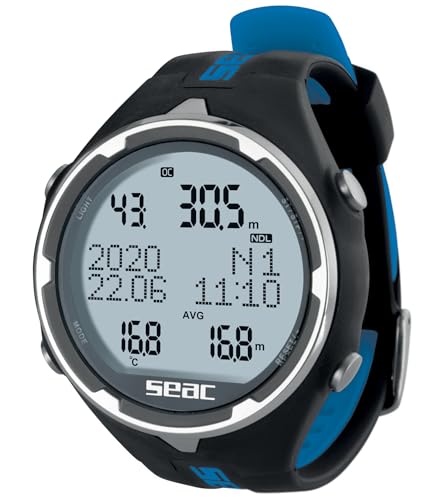 TOP CHOICEBest for budget-minded new diversSeac Action, Dive Computer with Scuba and Freediving ModeView on Amazon
- 3
 TOP CHOICEBest for technical and gas-switching divesShearwater Nerd 2 Dive ComputerView on Amazon
- 4
 Best for entry-level one-button simplicityMares Puck 4 Wrist Dive ComputerView on Amazon
- 5
 Best for air-integrated console usersAqualung i550C Dive Computer, Computer OnlyView on Amazon
Our Top Picks
| Product | Best for | Key feature |
|---|---|---|
| Garmin Descent G2 | Overall recreational and training use | AMOLED display, dive log |
| Seac Action | New divers on a tighter budget | Scuba and freediving modes |
| Shearwater Nerd 2 | Technical and gas-switching dives | Stand-alone, multi-gas planning |
| Mares Puck 4 | Simple entry-level operation | One-button control |
| Aqualung i550C | Console-mounted air integration | Three gas modes, Bluetooth transfer |
Garmin Descent G2, Watch-Style Dive Computer, 46mm, Black
Garmin Descent™ G2, Watch-Style Dive Computer, 46mm, Black | AMOLED Display, Built for Diving, Multiple Dive Modes, Dive Log, Eco-Friendly Design, Advanced Training Features
Best for: Overall recreational and training use
This watch-style unit suits divers who want a bright display, a dive log and training features in one wrist computer.
Pros
- Large AMOLED display that is easy to read at depth
- Multiple dive modes and an integrated dive log
Cons
- Price sits at the higher end for a wrist computer
Seac Action, Dive Computer with Scuba and Freediving Mode
Seac Action, Dive Computer with Scuba and Freediving Mode, Dive Logbook, Dive Planner, Safety Alarms, Standard, black/blue
Best for: New divers on a tighter budget
Owners often describe this as a practical starting point for recreational scuba who also want freediving capability.
Pros
- Scuba and freediving modes in one unit
- Includes a logbook and dive planner
Cons
- Not designed for technical or mixed-gas diving
Shearwater Nerd 2 Dive Computer
Shearwater Nerd 2 Dive Computer (Nerd 2 Stand Alone)
Best for: Technical and gas-switching dives
This stand-alone unit is aimed at divers who plan multi-gas dives and want deeper decompression planning tools.
Pros
- Stand-alone design with multi-gas planning
- Widely referenced in technical diving communities
Cons
- Steeper learning curve than recreational wrist units
Mares Puck 4 Wrist Dive Computer
Mares Puck 4 Wrist Dive Computer | Entry-Level Watch-Style One Button Control Underwater Scuba Diving Computer, Black/Aqua
Best for: Simple entry-level operation
Designed for divers who want a straightforward wrist computer with minimal menu navigation.
Pros
- One-button control keeps menus simple
- Compact watch-style fit
Cons
- Fewer advanced features than premium models
Aqualung i550C Dive Computer, Computer Only
Aqualung i550C Dive Computer – Versatile Durable 3-Gas Computer Console with 3 Dive Modes, Bluetooth Data Transfer, Nitrox Mix Capability & Water Activation, Computer Only
Best for: Console-mounted air integration
This console unit fits divers who prefer air integration and want Nitrox capability with Bluetooth data transfer.
Pros
- Three dive modes and Nitrox mix capability
- Bluetooth data transfer to a log
Cons
- Requires a console setup and a compatible regulator
Buying Guide
Dive type and training level
Recreational reef diving rarely needs gas-switching or decompression planning. If you plan only air dives within recreational limits, a simpler wrist unit usually covers your needs.
Gas capability
Nitrox and multi-gas support add cost and complexity. Check whether you need one gas or several before you compare display quality.
Display and readability
Readability underwater matters more than feature count. Look at how the screen performs in low light and whether the numbers stay clear at a glance.
Logging and data transfer
Dive logs help track profiles over time. Confirm how data moves to your phone or computer and whether the software is supported.
Good picks for this: Garmin Descent G2 and Seac Action
FAQ
Do I need a dive computer for recreational diving?
Most training agencies recommend one for recreational dives because it tracks no-decompression limits in real time. Confirm your course requirements before you buy.
Is an air-integrated computer better than a wrist unit?
Air integration shows tank pressure on the same display as depth and time, which many divers find convenient. Wrist units are simpler and easier to swap between dives.
How often should a dive computer be serviced?
Manufacturers typically specify battery and seal checks at set intervals, so follow the guidance in the owner’s manual. Consult a professional dive shop for servicing.
Conclusion
For most recreational divers, the Garmin Descent G2 or Seac Action covers the core needs. Technical divers planning gas switches should look at the Shearwater Nerd 2, while the Mares Puck 4 suits simple entry-level use. Console users who want air integration will find the Aqualung i550C a good match.
Related reading
- Zoop Dive Computer Price: What to Expect and How to Shop Smart
- Vr3 Dive Computer Price: What to Expect and How to Shop Smart (2026)
- Teric Dive Computer Price: What to Expect and How to Choose (2026)
- Suunto Gekko Dive Computer Price: What to Expect and How to Shop Smart
- Shearwater Dive Computer UK: How to Choose and Set One Up (2026)
- Scuba Dive Computer Console: How to Choose and Set One Up (2026)
- Scuba Dive Computer Air Integrated: How to Choose and Set One Up (2026)
- SEAC Dive Computer Manual: How to Read and Set Up Your Unit
About Miles Sinclair
Miles Sinclair is part of our editorial team and reviews and edits our scuba diving gear guides, checking product details against manufacturer specifications and owner feedback.
About the author
Miles Sinclair writes reviews and buying guides for Scuba Lanai.